
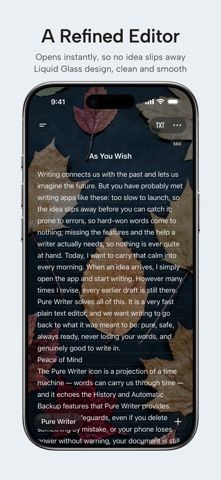
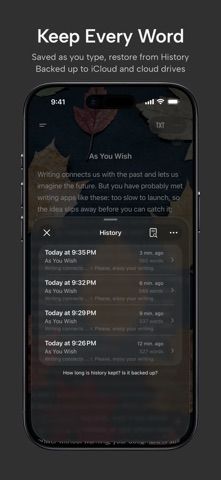
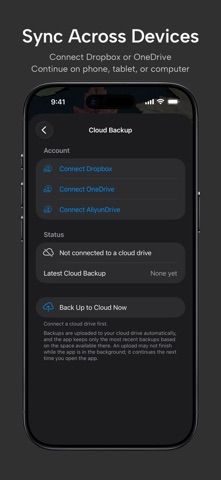
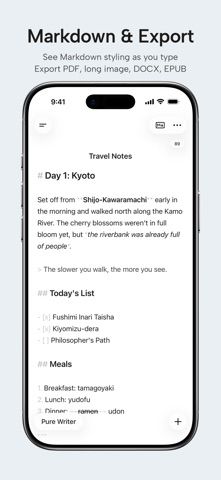
Pure Writer is a text editor for notes, drafts, and longer documents. It stores documents on the device and can back them up to iCloud or another cloud drive; its history and autosave features are intended to help recover accidental changes. The editor includes Markdown and LaTeX support, nested groups, tags, search and replace, typewriter mode, custom layout controls, and exports such as DOCX, PDF, EPUB, and plain text. The developer describes a seven-day trial followed by monthly, yearly, or lifetime membership options. There is no separate free tier after the trial, and the listing does not show prices. Writers should confirm the offer and backup settings before storing their only copy of important work.

Pure Writer
A plain-text writing and Markdown editor with recovery history, backups, and export formats.
By Drakeet Co., Ltd.Released 2026/10/24App Store rating 5.0 (23)Official store informationPublished 2026/11/04Checked 2026-11-04
Overview
A closer look at Pure Writer.
A closer look
App screenshots
Choose with confidence
The useful details.
What it does
- Write plain text or Markdown documents with syntax highlighting and LaTeX support.
- Organize drafts in nested groups and tags, then search or replace across documents.
- Use autosave, revision history, and local or cloud backups for recovery.
- Export selections or full documents to formats including DOCX, PDF, EPUB, and text.
A good fit for
- Writers who want a flexible mobile text editor with document organization and multiple export formats.
Worth knowing
- The developer describes a seven-day trial followed by a paid membership; the listing does not show current prices.
- Cloud backups need to be configured, so verify backup status before relying on a single device.
Frequently asked questions
Answers based on the app’s official listing and reviewed information.
What is Pure Writer used for?
A plain-text writing and Markdown editor with recovery history, backups, and export formats.
What can you do with Pure Writer?
Write plain text or Markdown documents with syntax highlighting and LaTeX support. Organize drafts in nested groups and tags, then search or replace across documents. Use autosave, revision history, and local or cloud backups for recovery. Export selections or full documents to formats including DOCX, PDF, EPUB, and text.
Who is Pure Writer designed for?
Writers who want a flexible mobile text editor with document organization and multiple export formats.
What should you know before downloading Pure Writer?
The developer describes a seven-day trial followed by a paid membership; the listing does not show current prices. Cloud backups need to be configured, so verify backup status before relying on a single device.
Does Pure Writer include paid features?
After a 7-day trial, monthly or yearly memberships are available. Confirm current prices and renewal terms in the App Store. The listing also offers a lifetime membership; check its current price and terms in the purchase screen.
Which platforms support Pure Writer?
Greatooly's reviewed app information lists iOS.
Researched from official sources; this is not a hands-on review. Last checked 2026-11-04.
Keep exploring
More apps that might be a good fit.

Starday: Family Chores Tracker
Starday turns children’s daily chores into quests with points, streaks, parent-approved rewards, family profiles, and shared progress.

TooTask·Checklist&Task Manager
TooTask organizes timed tasks, untimed backlog, routines, and repeatable checklists, then keeps the current task visible on Apple devices.

FaveNest – Visual Bookmarks
FaveNest saves links, notes, files, screenshots, and places into a searchable visual library that syncs through private iCloud.