
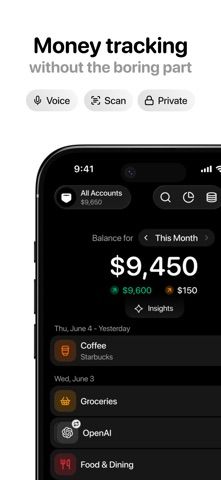
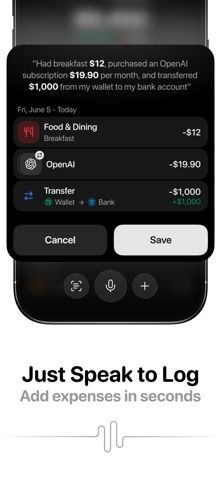
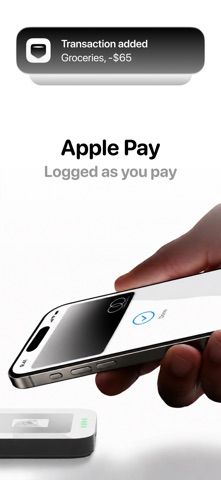
Qalta is a personal expense tracker built around quick entry. You can describe a purchase or income by voice, scan a receipt or statement, import a CSV from another finance app, or enter a transaction manually. The listing also describes category budgets, savings goals, debts, recurring bills, subscription totals, multi-currency accounts, analytics, and CSV export. The developer says a private ledger stays on the iPhone, optional backup uses iCloud, and shared spaces sync only when you choose to share them. The free plan has limits; Qalta Pro adds unlimited transactions, voice and scans, plus shared spaces. The US App Store lists individual plans at $3.99 monthly or $29.99 annually and family plans at $5.99 monthly or $49.99 annually. Apple’s privacy label is unverified and lists contact, identifier, and crash data as not linked to identity.

Qalta AI: Expense Tracker
Log expenses by voice, receipt, statement, CSV import, or manual entry, then review budgets and shared spending.
Overview
A closer look at Qalta AI: Expense Tracker.
A closer look
App screenshots
Choose with confidence
The useful details.
What it does
- Add transactions by voice, manual entry, receipt images, PDFs, or bank-statement scans.
- Import transaction history by CSV from supported finance apps and export records as CSV.
- Set category or account budgets, track savings goals and debts, and review cash-flow analytics.
- Manage recurring bills, subscriptions, reminders, and accounts in different currencies.
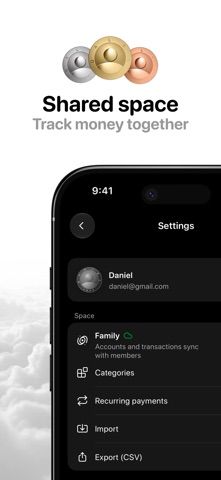
- Keep a private ledger on the device or create shared spaces with invited people.
A good fit for
- People who want fast manual or scanned expense entry without a bank-linking workflow.
- Households that want to record and review shared spending together.
Worth knowing
- The free plan has limits; unlimited transactions, voice entry, scans, and shared spaces require Pro.
- Receipt and statement recognition can make mistakes; review extracted amounts, dates, and categories before relying on reports.
- The developer describes private and shared storage differently; shared spaces sync when enabled. Apple’s privacy label is developer-provided and unverified.
Frequently asked questions
Answers based on the app’s official listing and reviewed information.
How can I add a transaction in Qalta?
The listing supports voice descriptions, receipt or statement scans, CSV imports, and manual entry.
Does Qalta connect directly to a bank account?
The listing describes CSV imports and scanning bank statements; it does not describe a direct bank-account connection.
Can I track expenses with family?
Yes. Qalta Pro includes shared spaces that sync with invited people when you choose to share a ledger.
How much does Qalta Pro cost?
The US App Store lists individual plans at $3.99 monthly or $29.99 annually, and family plans at $5.99 monthly or $49.99 annually.
Can I export my transactions?
Yes. The app listing includes CSV export, as well as CSV import from other finance apps.
Where does Qalta store my data?
The developer says private data stays on the iPhone with optional iCloud backup; shared spaces sync when enabled. Apple’s privacy label is unverified.
Researched from official sources; this is not a hands-on review. Last checked 2026-11-19.
Keep exploring
More apps that might be a good fit.

Personal Ledger: Pro Finance
An offline double-entry ledger for tracking net worth, assets, liabilities, income, expenses, cash flow, and debts.

my expenses simplified
A basic personal expense tracker with receipt attachments, spending summaries, category budgets, trend charts, and detailed transaction notes.

Kesef: Expense Tracker
An offline expense and budget tracker with voice entry, recurring transactions, multi-currency records, and shared bill splitting.