
SUM+= is a personal expense tracker built around quick entry and local control. Add purchases yourself, manage recurring transactions and savings targets, or use supported automation to reduce the time spent recording a transaction. The app has no account requirement and keeps its database on the device; sharing information with an AI service is an optional choice for analysis, forecasts, or recommendations. Shared lists can sync between people, while reports can be prepared for services such as ChatGPT, Claude, or Gemini. The US App Store listing is free to download and shows several purchase offers, but its displayed price rows do not clearly map every amount to a billing period. Check the in-app purchase screen before choosing a plan.

SUM+= Simple Expense Tracker
A privacy-focused expense tracker for quick manual entries, recurring costs, shared lists, and optional AI-assisted spending analysis.
By Jonas ZimmermannReleased 2026/01/23App Store rating 5.0 (2)Official store informationPublished 2026/11/19Checked 2026-11-19
Overview
A closer look at SUM+= Simple Expense Tracker.
A closer look
App screenshots
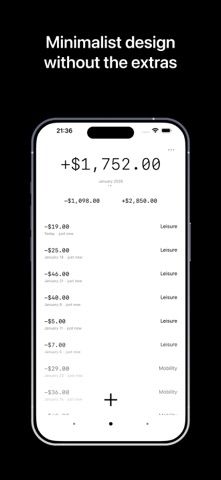
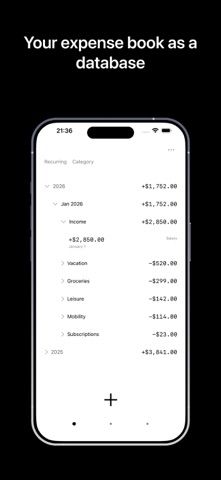
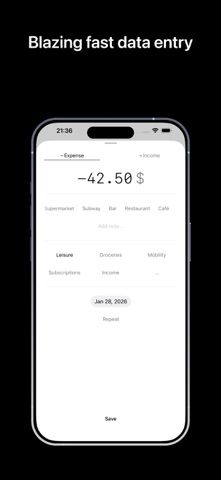
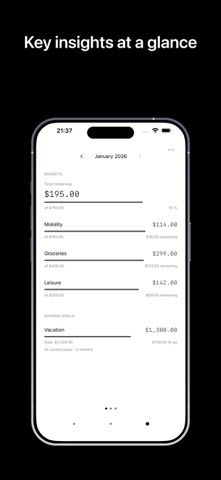
Choose with confidence
The useful details.
What it does
- Record and review expenses with a quick-entry workflow and recurring transactions.
- Set budgets or savings targets and examine spending trends.
- Prepare transaction data for optional AI analysis, forecasts, and recommendations.
- Share lists and synchronize them with other people when a shared workflow is useful.
- Keep the main expense database on the device without creating an account.
A good fit for
- People who want a fast, manually controlled expense log.
- Users who want to keep financial records local and decide when to share data for AI analysis.
- Households or small groups that need shared expense lists.
Worth knowing
- Requires iOS 26.2 or later according to the current Apple listing.
- The app does not automatically connect to a bank; transaction records depend on what you enter or configure.
- AI analysis involves sharing selected data with an external AI service, so review the data before sending it.
- The US store page lists a 7-day trial and several prices, but does not clearly identify the billing period or offer mapping for every price row.
Frequently asked questions
Answers based on the app’s official listing and reviewed information.
What can I use SUM+= for?
It helps you record expenses, manage recurring costs and savings targets, and review spending information.
Does SUM+= connect to my bank?
The listing describes user-controlled expense entry and does not advertise automatic bank connections.
Does my financial data stay on my device?
The developer says the database stays locally on the device. Shared lists can sync, and you choose whether to share selected data with an AI service.
Can AI analyze my spending?
Yes. The listing describes preparing data for optional analysis with services such as ChatGPT or Claude; review what you share first.
How much does SUM+= cost?
The US listing shows a free download, a 7-day trial, and several in-app prices. It does not clearly map every price to a billing period, so confirm the offer in the app.
What iOS version does it require?
Apple currently lists iOS 26.2 or later as the requirement.
Researched from official sources; this is not a hands-on review. Last checked 2026-11-19.
Keep exploring
More apps that might be a good fit.

Personal Ledger: Pro Finance
An offline double-entry ledger for tracking net worth, assets, liabilities, income, expenses, cash flow, and debts.

my expenses simplified
A basic personal expense tracker with receipt attachments, spending summaries, category budgets, trend charts, and detailed transaction notes.

Kesef: Expense Tracker
An offline expense and budget tracker with voice entry, recurring transactions, multi-currency records, and shared bill splitting.