GreatoolyGreatooly
Anybox app icon

Anybox

Save links, images, and files in a searchable library, with nested tags and smart lists for keeping research and reading material organized.

By Anybox LTDOfficial store informationPublished 2026/11/03Checked 2026-11-03

Overview

A closer look at Anybox.

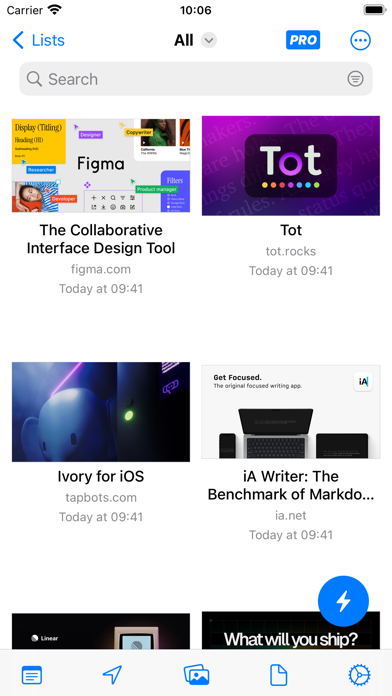
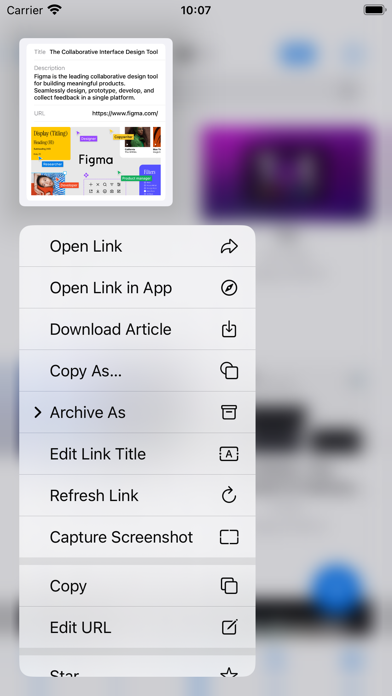
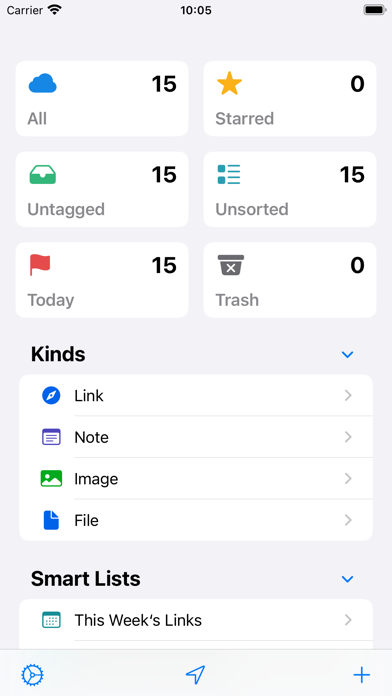
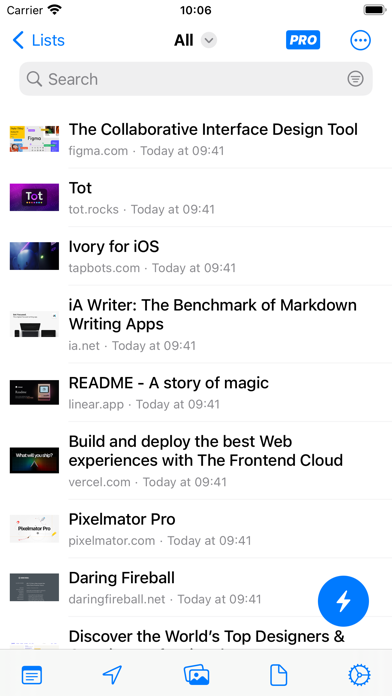
Anybox turns saved links into a personal reference library. Its nested tags, folders, and smart lists suit research that needs more structure than a browser's bookmark bar. Images, files, and notes can live alongside links, so a project can have one place for supporting material.

The App Store listing describes Spotlight integration, sharing extensions, widgets, and iCloud sync. These are useful when saving something on a phone and retrieving it later on another Apple device. Organizing a small sample first is a sensible way to decide whether tags or folders fit your workflow.

Anybox offers a limited free tier and an optional Pro upgrade. A zero download price does not mean an unlimited library. Check the current allowance and purchase terms on the official listing before migrating a large archive. This entry describes published features; we have not independently tested search quality or import reliability.
A closer look

App screenshots

Anybox official iOS screenshot 1Anybox official iOS screenshot 2Official iOS store screenshotOfficial iOS store screenshot

Choose with confidence

The useful details.

What it does

  • Nested tags, folders, and smart lists
  • Save links, images, files, and notes
  • Spotlight search and iCloud sync

A good fit for

  • People building a personal reference library on Apple devices

Worth knowing

  • The free version has a limited library; check the current Pro allowance before importing a large collection.

Frequently asked questions

Answers based on the app’s official listing and reviewed information.

What is Anybox used for?

Save links, images, and files in a searchable library, with nested tags and smart lists for keeping research and reading material organized.

What can you do with Anybox?

Nested tags, folders, and smart lists Save links, images, files, and notes Spotlight search and iCloud sync

Who is Anybox designed for?

People building a personal reference library on Apple devices

What should you know before downloading Anybox?

The free version has a limited library; check the current Pro allowance before importing a large collection.

Does Anybox include paid features?

An optional Pro upgrade offers subscription and lifetime purchase options. An optional Pro upgrade offers subscription and lifetime purchase options.

Which platforms support Anybox?

Greatooly's reviewed app information lists iOS.

Researched from official sources; this is not a hands-on review. Last checked 2026-11-03.

Keep exploring

More apps that might be a good fit.

Ahenora: Family Organizer

Ahenora brings family tasks, a shared calendar, meals, shopping lists, children's chores, and household documents together.

Bible Study Planner

Bible Study Planner organizes reading plans, chapter notes, study materials, reminders, and reading progress on Apple devices.

Tidify: Declutter & Clean Home

Tidify turns a room photo into an AI-generated decluttering plan with timed tasks, reminders, and recurring tidy routines.