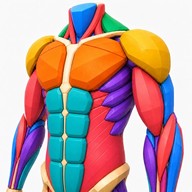
FORMA: Draw, Paint & Sketch
A drawing and illustration studio with brushes, layers, cross-device canvases, on-device reference generation, and export tools.
Explore by need
Draw on separate layers so parts of an illustration can be edited independently. Separate a sketch from color and shading so each part stays editable. Check how the app handles layer limits, masks, and blending.
A drawing and illustration studio with brushes, layers, cross-device canvases, on-device reference generation, and export tools.
A pixel art editor for drawing and animation with layers, palette import and export, sprite sheets, GIFs, and stylus support.
Draw pixel art with mobile-friendly controls, step-by-step lessons, daily prompts, layers, and short animations.
A 3D figure-drawing reference that matches photos to a poseable anatomy model and exposes muscle and bone layers.
A pixel-art drawing app with customizable canvases, layers, color palettes, zoom, and image export.
A multi-device drawing studio with brushes, vector tools, 3D texture painting, layers, comics, and animation.
Draw symmetrical mandala artwork with vector strokes, adjustable rotations, layers, and offline file support.
Draw pixel art and frame-by-frame animations with layers, custom palettes, and precise hard-edge tools.
Sketchbook Studio is an iPad drawing and painting app for Apple Pencil. It includes pressure-sensitive brushes, layers, rulers, symmetry guides, filters, page templates, photo tracing overlays, and augmented-reality previews. Sketches are saved on the device; current pricing is not specified in the listing.
Separate layers make revisions easier when the sketch, line art, and color need to change at different times.
Choose a layered format supported by your next editor. A standard PNG or JPEG combines the visible layers.