Photo Collage Maker - Grid Co
A photo collage editor for grids, stories, multi-slide carousels, and social posts.
Explore
Sketch an idea, edit a photo, or record a melody before it slips away. Browse drawing and writing apps, tools for building a storyboard, and editors for the footage or audio you bring back.
A photo collage editor for grids, stories, multi-slide carousels, and social posts.
Draw pixel art and frame-by-frame animations with layers, custom palettes, and precise hard-edge tools.
Turn filmed product demonstrations into vertical UGC videos with automatic cuts, captions, and editable hooks.
Write, sketch, and organize vector notebooks with handwriting search, collaboration, and Apple Pencil support.
Generate logo concepts from a brand name and prompt, then adjust style and colors before saving designs.
Create AI-generated 3D models from text prompts or images, adjust model settings, and export common formats.
Draft, summarize, translate, and rewrite text with an AI writing assistant, chat, and web search tools.
Proofread, rewrite, and draft text with an AI keyboard that works across supported apps.
Edit Word documents, spreadsheets, presentations, and PDFs from an iPhone or iPad with mobile office tools.
Build music loops with sound pads, record custom audio, and share mixes in a social DJ community.
Rewrite and proofread text, check grammar, translate, and use an AI keyboard across supported apps.
Check grammar, spelling, and tone with an AI writing assistant and keyboard available across supported apps.
Generate songs and vocal variations from prompts or supplied audio with an AI music-making workspace.
Draft, paraphrase, summarize, and proofread text with AI writing tools for study and everyday writing.
Capture song ideas quickly, organize recordings into mixtapes, collaborate, and export audio for music software.
Use an augmented-reality camera overlay to trace a sketch onto paper, then save or share the result.
Generate thousands of playful drawing ideas to use with paper, pencils, or a preferred digital art app.
Draft, rewrite, and refine essays, emails, reports, and other text using an AI writing assistant.
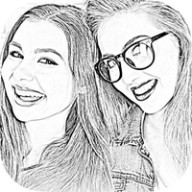
Convert photos into pencil sketches, line art, and cartoon styles, then edit and export the results.
Write from daily prompts, track progress, share work with a writing community, and develop longer projects.
Generate music from text prompts and explore playlists and styles through the Sonus AI music app.
Edit, sign, fill, and share PDFs, with free monthly limits and paid options for expanded document workflows.
Trigger and organize music, sound effects, voiceovers, and cues from a customizable soundboard.
Use adjustable grids and tracing tools to sketch from reference images and organize art projects.
Create festival-themed photo cards with frames, filters, stickers, text, cropping, and image effects.
Create music with DJ sound packs, beat pads, effects, and lessons for a range of experience levels.
Draw symmetrical mandala artwork with vector strokes, adjustable rotations, layers, and offline file support.
Draft and edit text with an AI writing assistant and keyboard, including email, grammar, translation, and summaries.
Sample sounds with a phone microphone or imported audio, build beats with effects and a sequencer, and export tracks from a compact sampler.
Turn a daily shape into an original doodle by rotating, zooming, and drawing, then save and share your interpretation.
Annotate PDFs with Apple Pencil, highlights, shapes, text, and images, collaborate through cloud sync, and unlock advanced markup tools with Pro.
Use a continuous-writing prompt that deletes an unfinished note when typing stops, designed to push through a blank page or writing block.
Generate songs and instrumental ideas from text prompts, adjust musical elements, and share AI-created tracks through subscription plans.
Turn still-life and landscape photos into textured compositions with layered overlays and visual effects in a focused photo-art editor.
Manage music releases, audio mastering, stem separation, streaming analytics, and collaborator feedback from a mobile companion for music creators.
Design album artwork on iPhone with music-focused templates, customizable styles, and subscription access to the app's full design library for musicians.
Start with the piece you want to finish, whether that's a sketch, a chapter, or a short video. Then work backward from where you need to share or edit it next.
Try moving an editable project between them. Layers, fonts, and tracks may require a different export from the finished image or clip.